 Lyslide
Add a song and find its lyrics
Type a title, paste lyrics, or let AI find them
Where"Add Song" on the home screen, or "Add New Song" in the song list. It opens on "My Songs" — the screen below is behind "Create new song" at the foot of it.
Nothing is saved until you press "Add Song", so there is no cost to trying.
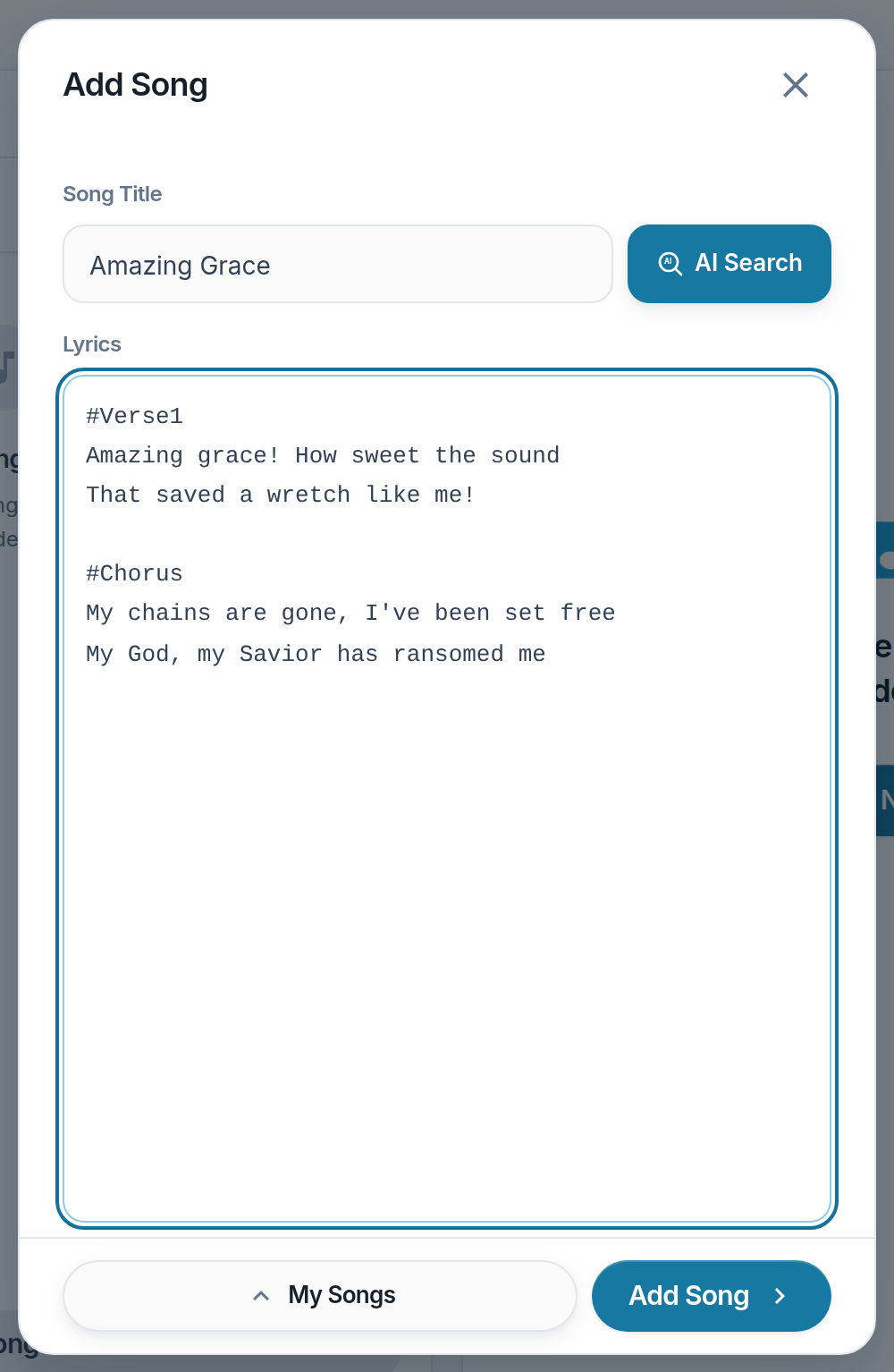
- Song Title — Also takes an artist name or a lyrics-page URL.
- AI Search — Fills the Lyrics box from the title above.
- Lyrics — Paste your own, or check what AI found.
- Add Song — Enabled once there are lyrics.
Notes
- Read AI-found lyrics through once. It gets lines wrong.
- CCLI or copyright text goes in its own field, and prints on every slide.
- The modal lands on your existing songs first, because reusing one beats retyping it. "Create new song" is the switch to this screen.