 Lyslide
Dual screen: console and output
Lyrics on the projector, controls on your own screen
WhereThe output menu at the right of the playback status bar → "Second screen". S does the same.
A second window carries the lyrics to the projector while your screen keeps the console — sections or thumbnails, the live slide, and what is coming.
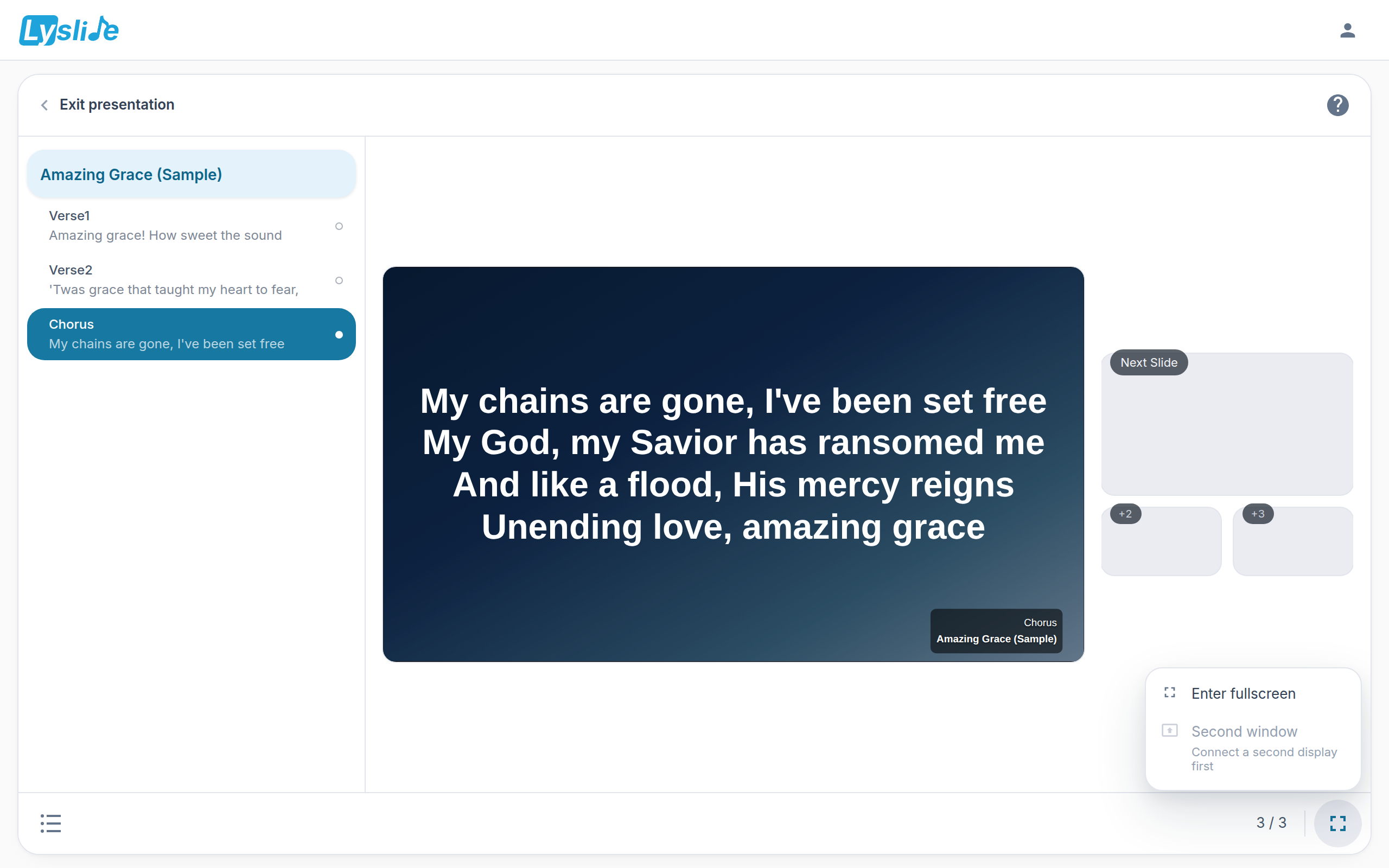
- Next Slide — The one after the live slide, large.
- +2 — Two and three slides ahead, small. A "next song" line joins them when one is coming.
- Second window — S, or this row. Greyed with its reason when no second display is attached.
Notes
- Full screen and second screen are the two rows of that one menu.
- Sections, thumbnails and the all-slides grid are one view menu at the LEFT of the status bar; picking Sections or Thumbnails also returns you to the projection view.
- The console mirrors the blackout state, so you cannot think you are projecting when the wall is dark.
- The output window carries its background as data, not a link, so it survives losing the network.
- On browsers that support it, the output window moves itself to the projector.