 Lyslide
Text mode: # and blank lines
The two marks that turn a wall of lyrics into slides
WhereWhere you land after adding a song.
A line starting with # names a section (#Verse1, #Chorus). A blank line starts a new slide. That is the whole format — the shape of the deck is visible in the text itself.
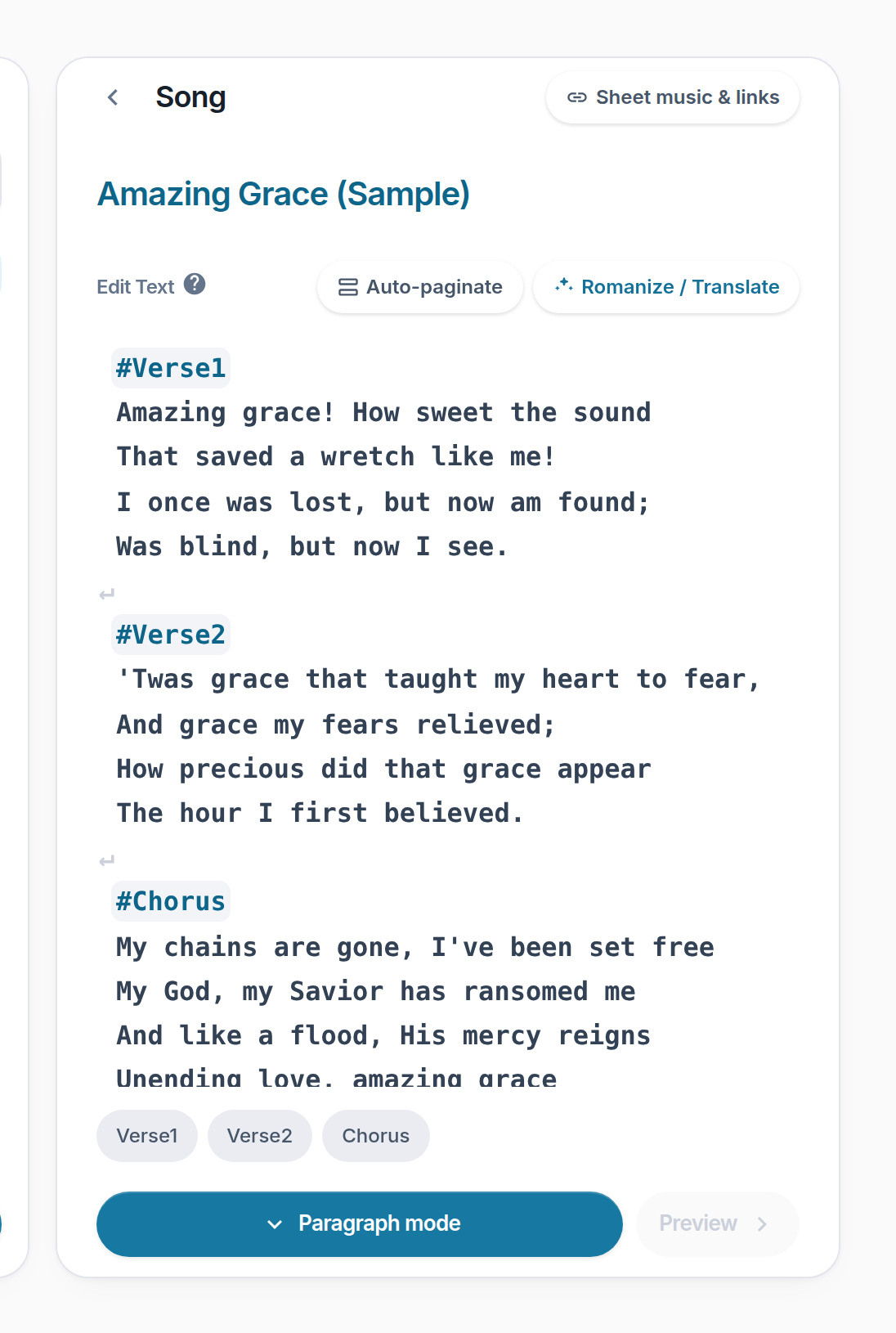
- ? — A worked example of # and blank lines.
- Auto-paginate — Places the slide breaks for you.
- Romanize / Translate — Adds a pronunciation or translation line.
- Lyrics editor — # names a section; a blank line starts a slide.
- Paragraph mode — On to arranging the running order.
Notes
- Section names are free text. #Announcement works as well as #Chorus.
- Below 640px the two action buttons collapse into a "⋯" menu, and the songs button becomes a back chevron.