 Lyslide
Export: choosing a format
PowerPoint, PDF, images, or a native projection file
Where"Export" at the foot of the preview panel. It opens the format list itself.
Seven formats. PPTX is the default because a church computer can always open it. Two kinds of PDF: one slide per page for projecting, and a typeset booklet for printing. OpenLyrics and FreeShow go straight into church projection software.
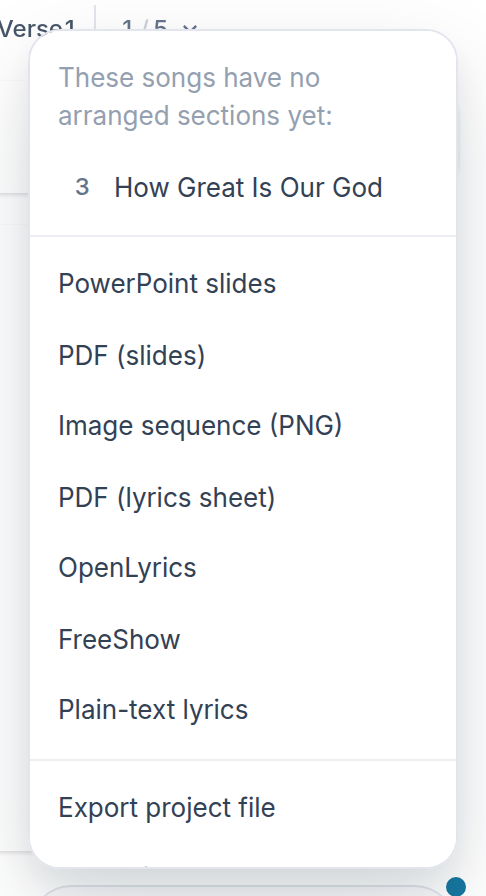
- PowerPoint slides — The default, and what a church computer always opens.
- PDF (lyrics sheet) — A printable booklet, not slides.
- OpenLyrics — Straight into OpenLP, FreeShow or Quelea.
- Export project file — The whole service as one .lyslide file.
Notes
- Built to survive PowerPoint, Keynote, Google Slides, ProPresenter, EasyWorship and Canva.
- Songs with no running order are not in the file, and the export says which.