 Lyslide
Layout: shape, position, dimming
Slide ratio, where the text sits, and keeping it readable over a photo
WhereOpen the preview, then "Adjust layout" on the bar below the card.
The frame rather than the text: slide ratio, vertical position, which corner carries the section and song name, and how far the background is dimmed.
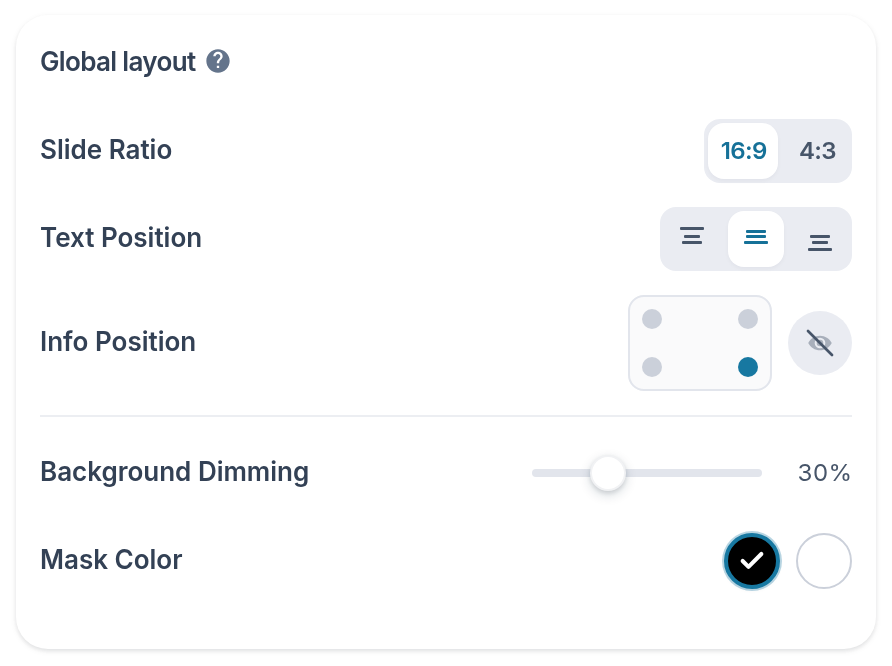
- Slide Ratio — 16:9 for most projectors, 4:3 for older ones.
- Text Position — Top, middle or bottom.
- Info Position — Which corner carries the section and song name.
- Background Dimming — Higher is darker. It now sits above the colour, because it is the gate.
- Mask Color — Black or white, whichever the photo needs. Disabled while dimming is 0 — at 0 the colour changes nothing, on screen or in the file.
Notes
- A text backing plate darkens only behind the words, instead of dimming the whole picture.