 Lyslide
Jumping around during the service
A docked setlist, section dots, and the next song
Why"Let's sing that chorus one more time" is the moment this exists for.
WhereThe panel down the side during playback.
Tap any song or section to jump straight there. The panel pushes the slide over rather than covering it, and dots show how many pages the section has.
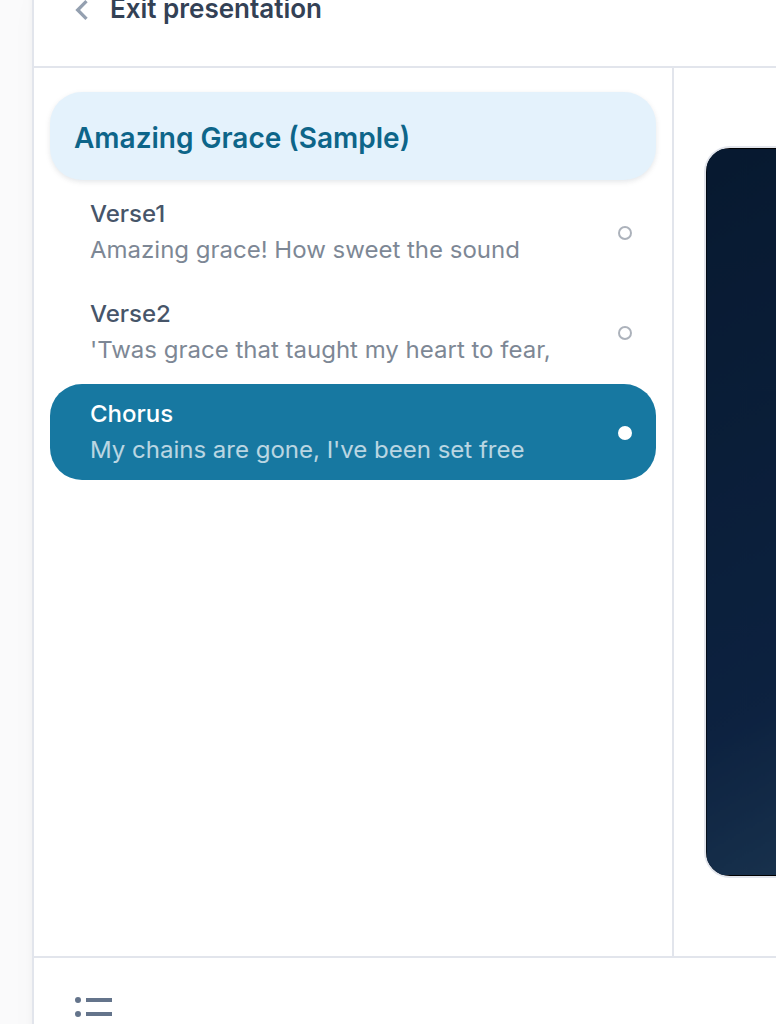
- A song — Tap to jump to its first slide.
- A section — Tap to jump straight there.
- The current one — Highlighted, with its page dot on the right.
Notes
- From 1024px up it is docked furniture: no title, no close button, always there.
- Below that it floats, starts closed, and covers rather than pushes — pushing would leave almost nothing on a 390px screen. A list button closes it again.
- To bring it back, use the view menu at the left of the status bar: Sections or Thumbnails. The same menu holds the all-slides grid.